




 Ships in 7-10 business days or less






Copyright © 2026 KVMGalore® - All rights reserved.
Buy this item and earn 636 ClubPoints.
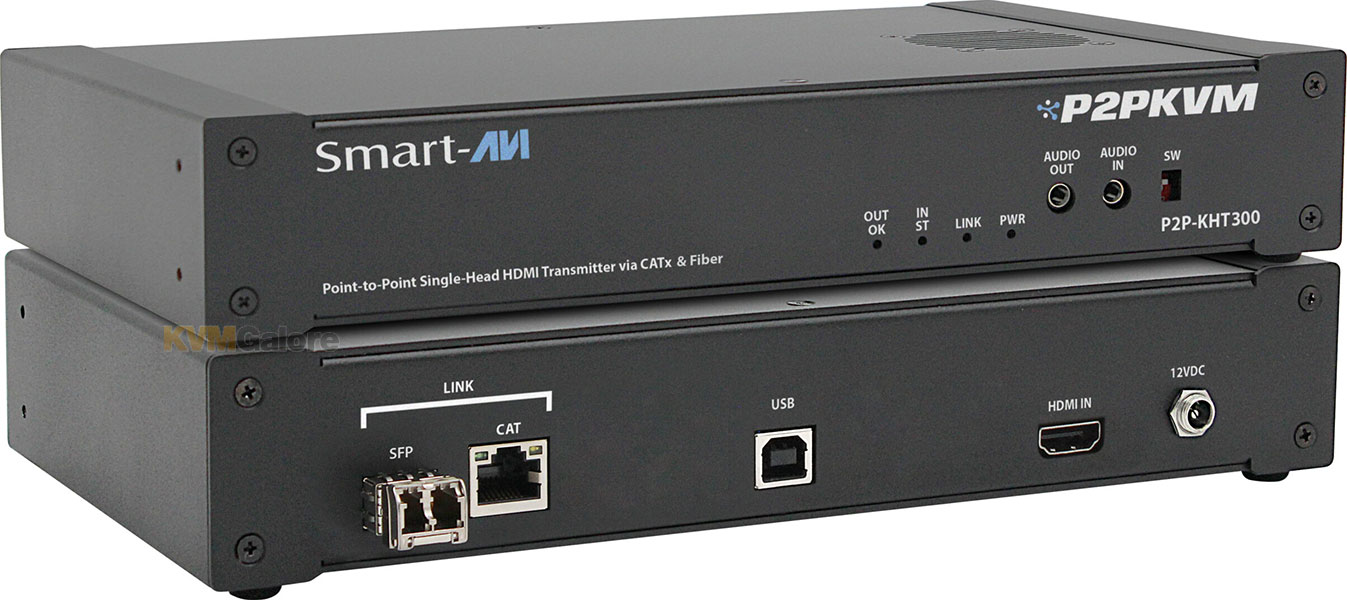
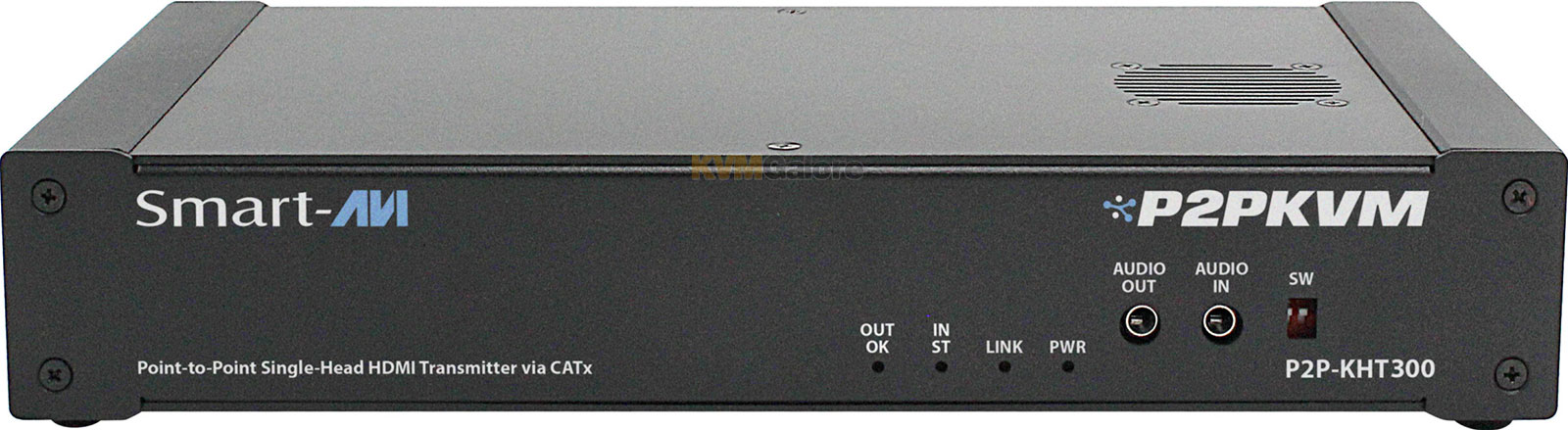
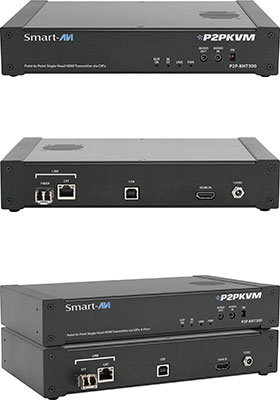
Single-head, HDMI, fiber-optic or CATx KVM-over-IP transmitter
supporting USB 2.0 peripherals and audio for point-to-point extension, KVM switching and stand-alone or managed matrix KVM switching over an Ethernet network
Note: Receiver units are purchased separately
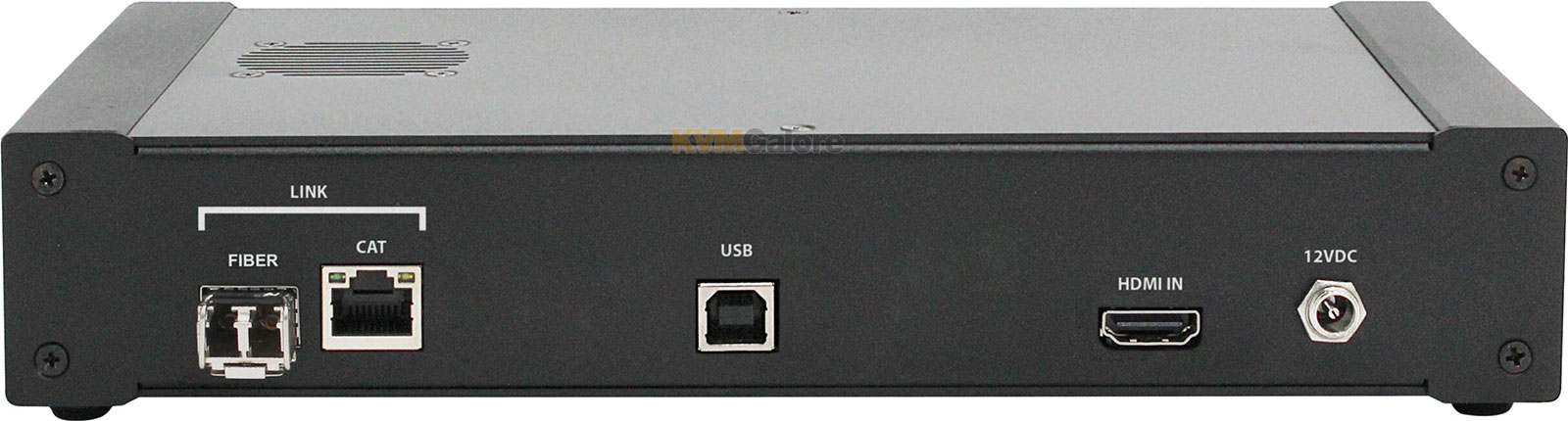
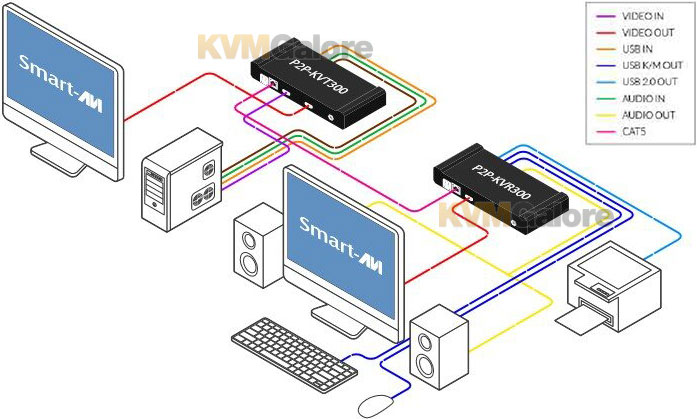
 P2P-KHT300 Transmitter, along with an accompanying Receiver unit, extends your HDMI-based workstation's console point-to-point or over an IP network (via a 1Gb Ethernet switch) up to 328 feet (100 m) per segment using CATx, up to 1640 feet (500 m) per segment using MultiMode fiber, or up to 6.2 miles (10 km) using SingleMode fiber.
Supporting flexible Direct, Matrix, and SaviGate modes, P2P-KHT300 adapts to your installation needs – from simple point-to-point extensions to full multi-user managed environments – over fiber-optic or CATx.
High-Performance KVM-over-IP Extension and Matrix-Switching Solution
Experience seamless, real-time remote access with the P2P-KVM series, a high-performance KVM-over-IP extender and matrix solution.
The P2P-KVM series is a plug-and-play IP KVM solution delivering 4K video, USB, and audio control over a standard 1Gb Ethernet network with flexible extension and switching modes.
Designed for mission-critical environments, it delivers ultra-low latency, high-resolution video, and secure connectivity over IP networks, ensuring efficient system control and flexibility.
SmartAVI's P2P-KVM series is a high-performance, IP-based KVM platform designed to scale effortlessly from simple point-to-point control to fully matrixed KVM environments.
Supporting up to 64 servers and 8 users out of the box, the system expands to an enterprise-class 256-server / 32-user matrix when integrated with the SaviGate P2PManager controller (purchased separately - see listing below), delivering exceptional flexibility for control rooms, data centers, and mission-critical operations.

Direct Mode – Simple Point-to-Point Extension (One Transmitter. One Receiver. No Configuration)
Direct Mode turns any P2PKVM Transmitter and Receiver into a plug-and-play point-to-point extender. Connect a single Transmitter and Receiver, power up, and you have instant KVM extension with ultra-low latency and crystal-clear video — no network switch or controller required.
• In Direct Mode, each P2PKVM Transmitter links directly to a Receiver over CATx or fiber
• No external Ethernet switch or router is needed
• Devices discover each other automatically
• Video, USB, audio, and serial all extend over the same link
Direct Mode is ideal when you simply need to move a console away from the PC or provide a clean, silent desktop for operators:
• Zero Configuration — Plug in, power on, and start working
• Flexible Distance Options — Choose CATx or fiber to fit your layout
• Dedicated Link — Isolated point-to-point path for predictable performance
• Cost-Effective — No network hardware or controller needed
• Ultra-Low Latency — Local-desktop feel, even at distance
Matrix Mode – Network-Based KVM Switching (Any User. Any Source. Over a Standard Network Switch)
Matrix Mode transforms P2PKVM series into a flexible KVM matrix. Multiple Transmitters and Receivers connect through a standard Ethernet switch, and users select systems through an intuitive on-screen display (OSD).
• All P2PKVM Transmitters and Receivers connect to the same Ethernet network
• Each Receiver can request any available Transmitter
• Users switch via keyboard hotkeys or on-screen display (OSD) menu
• Video, USB, and audio are routed in real time with ultra-low latency
No dedicated controller is required, making Matrix Mode a powerful option for mid-size control rooms, NOCs, or lab environments:
• Any-to-Any Switching — Route any source to any user station
• Shared Access — Multiple users can view and operate different systems simultaneously
• Scalable Design — Start small and grow by adding endpoints to the network
• Network Friendly — Works with standard managed switches and VLAN setups
• OSD-Based Control — Intuitive on-screen menus for non-technical users
SaviGate Mode – Centralized Management and Access Control (One Dashboard for All Your P2PKVM Endpoints)
When paired with a SaviGate controller, P2PKVM series becomes a centrally managed KVM-over-IP platform. IT administrators gain full control over routing, user permissions, presets, and monitoring — all from a web-based interface.
• All Transmitters, Receivers, and the SaviGate controller share the same network
• SaviGate maintains a live map of all endpoints
• Admins create access rules, presets, and layouts
• Users connect to allowed systems via OSD or SaviGate's browser interface
SaviGate Mode is ideal for larger deployments where security, auditability, and standardized workflows matter:
• Centralized Management — Configure, monitor, and update all endpoints from one place
• Preset and Layout Support — Save common views or workstation mappings for fast recall
• Role-Based Access Control — Assign which users can reach which systems
• Browser-Based GUI — No client software to install; manage from any authorized workstation
• Real-Time Switching View — See active connections and quickly reroute as needed
Features and Benefits
• Supports HDMI video up to 4K @ 30Hz, or 1080p @ 60Hz
• Transparent USB 2.0 extension for peripherals
• Analog audio
• Selectable Direct, Matrix, and Savigate modes via web interface
• Up to 6.2 miles (10 km) extension distance over SingleMode fiber
• Up to 1640 feet (500 m) extension distance over MultiMode fiber
• Up to 328 feet (100 m) extension distance over CATx
• Ultra-low latency with JPEG2000 compression
• Plug-and-play installation
• EDID learning and management
• Savigate controller support for centralized management (sold separately - see listing below)
Package Includes
1x P2P-KHT300 Transmitter unit
1x Power supply [PS5VD3A-UEU]
• SFP modules is not included - see listing below for available fiber-optic SFP modules
• Cables are not included
Required Cables
1x HDMI
1x USB Type-A to Type-B
Need help with product selection?
Call KVMGalore at 1-800-636-3434, or submit your question on KVMGalore HelpCenter.