




 In stock






Copyright © 2026 KVMGalore® - All rights reserved.
Buy this item and earn 817 ClubPoints.
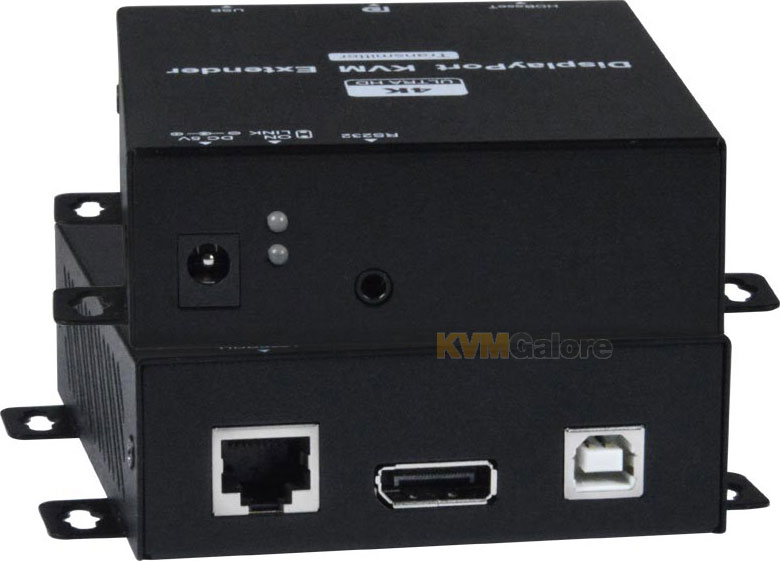
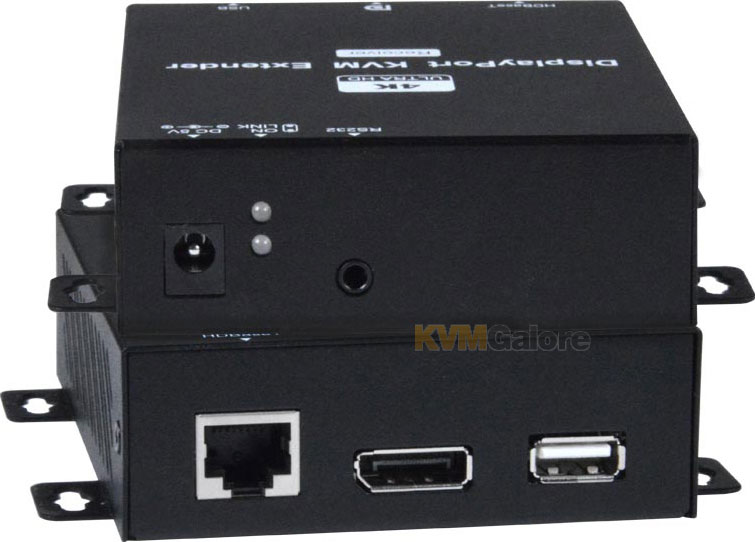
ST-C6USBDP4K-328: 4K Ultra-HD @ 30Hz 4:4:4 DisplayPort USB KVM extender
extends DisplayPort video, audio, USB keyboard/mouse, and RS232 up to 328 feet (100 m) away, using HDBaseT technology
• Extend 4K Ultra-HD @ 30Hz to 328 feet (100 m) and 1080p to 492 feet
• Transparent USB 2.0 extension
• RS232 extension
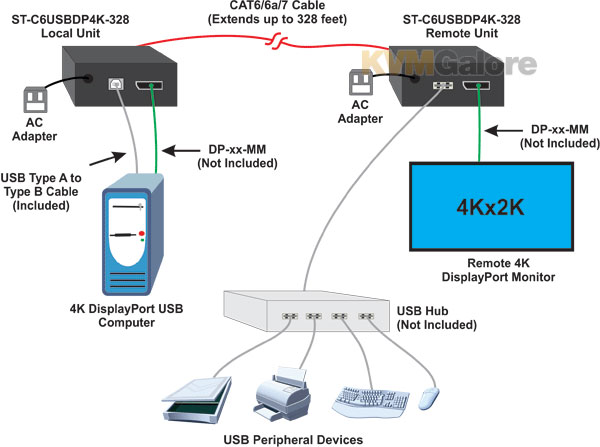
XTENDEX® 4K DisplayPort USB KVM extender over HDBaseT transmits uncompressed digital Ultra-HD 4K @ 30Hz 4:4:4 DisplayPort signal, transparent USB and RS232 up to 328 feet (100 m) over a single CATx cable using HDBaseT technology.
Each extender consists of a local unit that connects to a computer, and a remote unit that connects to an Ultra-HD DisplayPort display and USB 2.0 device.
Supported DisplayPort Features
• DisplayPort 1.2a
• 48-bit Color
• RGB, YCbCr 4:4:4
• LPCM, Dolby TrueHD, and DTS-HD Master Audio
• 3D
Features and Benefits
• Transmits an uncompressed high speed DisplayPort signal over one CAT-6/6a/7 cable
• Supports Ultra-HD 4K resolution to 3840x2160 and 4096x2160 @ 30Hz YUV 4:4:4, and HDTV resolution to 1080p @ 60Hz
• Extend 4K up to 328 (100 meters) feet over a CAT-6/6a/7 cable
• Extend 1080p up to 492 (150 meters) feet over CAT-6/6a/7 cable
• HDCP compliant
• USB 2.0 port supports fully transparent USB connection
• Extend a USB device such as a keyboard, mouse, game controller, USB flash drive, touch screen monitor, whiteboard, etc.
• Compliant with USB 2.0 (low/full/high speed) standards
• Use a USB hub to extend multiple USB devices
• Supports full-duplex RS232 at 115200 baud
• Integrated mounting brackets for easy surface/wall mounting
In the Box
1x Local unit
1x Remote unit
2x 100-240VAC, 50 or 60Hz-5VDC/2A AC power adapters
1x USB Type-A male to USB Type-B male cable
1x DB9 male to 3.5 mm cable
1x DB9 female to 3.5 mm cable
1x Mounting hardware
• Video cables are not included
Required Video Cables (between the source~transmitter and the display~receiver)
1x DisplayPort
Need help with product selection?
Call KVMGalore at 1-800-636-3434, or submit your question on KVMGalore HelpCenter.