

Copyright © 2026 KVMGalore® - All rights reserved.

Subscribe to KVMGalore
Receive exclusive offers, product updates andpreferred rewards.

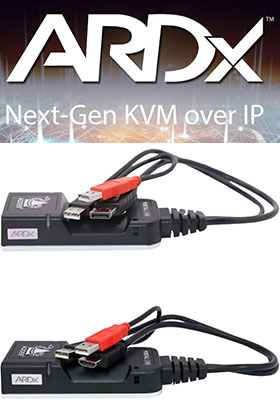
ARDx
"Switch-Less" KVM over IP system, for accessing and controlling unlimited number of computers from unlimited number of remote PCs over a LAN or the Internet
Read more below...
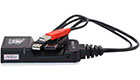
1) AdderLink Portal R110, DisplayPort Model No. ALPR110T-DP  In stock
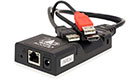
2) AdderLink Portal R110, HDMI Model No. ALPR110T-HM In stock
Switch-less KVM over IP remote-access system
for accessing and controlling unlimited number of computers (each connected to a Portal dongle) from unlimited number of remote PCs (users, each running ARDx viewer) over a LAN or the Internet
ARDx™ system consists of:
• ARDx™ viewer, installed on each user's remote PC. No limit on number of ARDx sessions - each session connects directly to a Portal dongle.
• A Portal dongle connected to each target computer that needs to be remotely controllrd (or a KVM receiver like Infinity or Matrix to access the entire system remotely). Each portal supports up to 8 simultaneous users.
Accessing and controlling computers over a network or the Internet is a common scenario, but purely software-based solutions can fall short for critical industry applications.
KVM remote access is about more than media streaming. Along with high-resolution, accurate color, smooth video, sharp text and clear digital audio, ARDx provides high-speed USB and precision control, making it ideal for image-critical KVM applications.
Built from the ground up to be secure, scalable, flexible and extensible, ARDx can be embedded into a wide range of KVM devices, delivering out-of-band remote access and management with low-latency and the highest quality video, audio and USB connectivity.
ARDx™ viewer provides a seamless user experience with powerful admin tools for managing connections, and is required to work with any Adder ARDx enabled product.
ARDx™ viewer from Adder Technology is a software client application that allows a PC user to manage, access, control and connect to remote computers which are connected to Portal dongles that feature ARDx™ technology, over LAN, WAN and Internet. ARDx viewer supports high-quality video and audio, secure connections, low latency control of the remote host and provides all the necessary tools to configure and manage connection settings and user profiles.
KVM over IP
KVM is about more than media streaming. Along with high-resolution, accurate color, smooth video, sharp text and clear digital audio, ARDx provides high-speed USB and precision control, making it ideal for image-critical KVM applications.
Flexible Integration
ARDx comprises an embedded KVM server designed for flexible deployment, and a software client viewer* that can target multiple operating systems and browsers.
Network Optimized
With the ability to integrate multiple Codecs and a unique network-adaptive transport mechanism, ARDx is designed to deliver and maintain superior visual performance over LAN or WAN.
Responsive and Seamless
ARDx uses resources efficiently, enabling low-latency control, multiple remote sessions in the viewer and multiple users to collaborate on a single target device, without performance degradation.
Multi-head, Enhanced Resolution
ARDx delivers enhanced source visibility with multi-head capability. Supporting resolutions up to 1920x1200, it’s ideal for video editing and other workflows that demand extensive screen real estate.
Enterprise Grade Security
AES-256 link encryption and RSA-2048 authentication offer the highest level of protection, trusted by security agencies and financial institutions worldwide.
Management Tools
Ease of deployment and use of ARDx enabled products is essential. Customer centric development means set up and configuration of user profiles, connections, and secure remote support is simple.
Developer Tools
The ARDx SDK allows integrators and developers to embed the power ARDx technology directly into their own platforms. It exposes real‑time video and programmatic input control to unlock powerful and flexible integrations.
Need help with product selection?
Call KVMGalore at 1-800-636-3434, or submit your question on KVMGalore HelpCenter.
* Latest ARDx Viewer and firmware are required for use of all features
TECH SOLUTIONS MADE EASY™
Toll free: 1.800.636.3434Ask a technical question
Contact us
Post-sale troubleshooting
Pre-sale consultation






KVMGalore, and the KVMGalore logo are registered trademarks of Rackit® Technology Corporation. Tech Solutions Made Easy is a trademark of KVMGalore®.
All other marks are property of their respective owners.
Comparing